Author resources, reuse draft resources, and deploy complete reference architectures. All backed by full Azure REST API integration, with native export to Terraform, Bicep, and ARM.
Overview
Three levels of IaC acceleration
Clophi accelerates IaC at three levels: the resource level through guided authoring, the organization level through reusable drafts, and the architecture level through ready-to-deploy reference designs.
play_circle_filled Live Demo
1
Resource level
Guided IaC generation
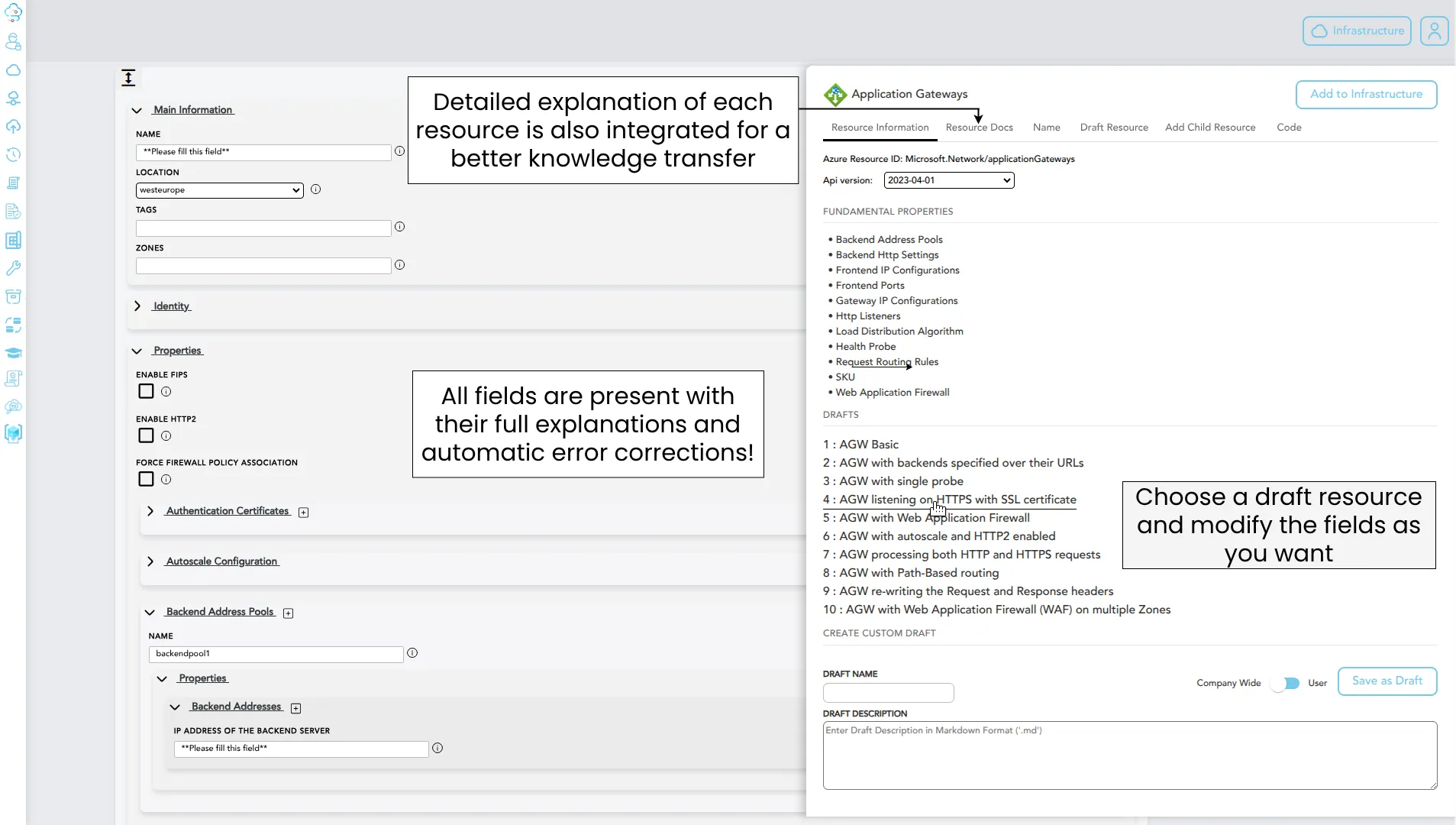
Every Azure resource configuration is represented as a structured form with built-in validation, live references to existing resources, Key Vault Secrets referencing, automatic dependency handling and integrated documentation. You focus on infrastructure, Clophi manages the IaC. Export as Terraform, Bicep, or ARM.
2
Organization level
Draft resources
Pre-configured drafts for resources, plus the ability to create organization-specific drafts that become a shared library across teams.
3
Architecture level
Built-in Architectures
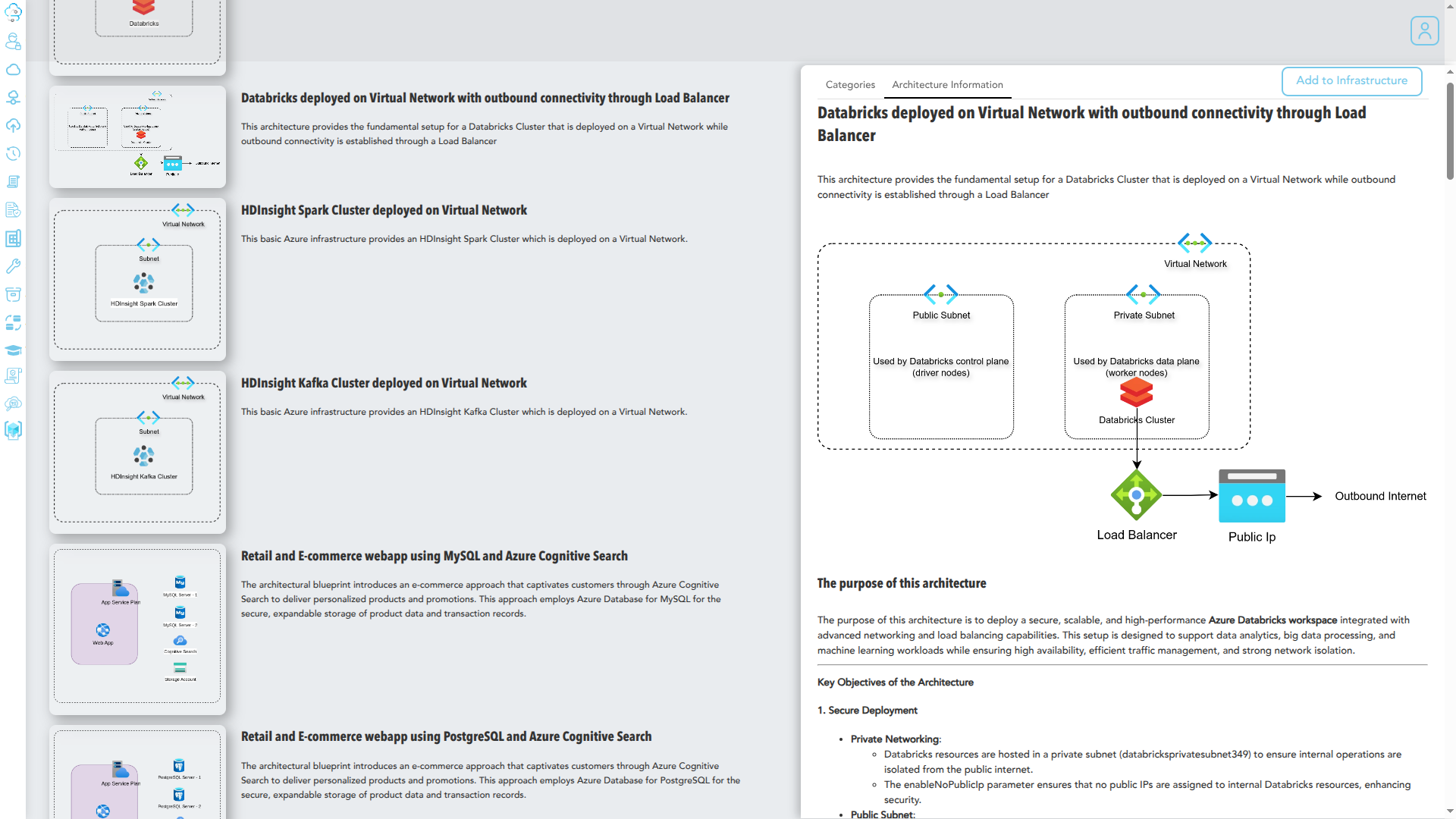
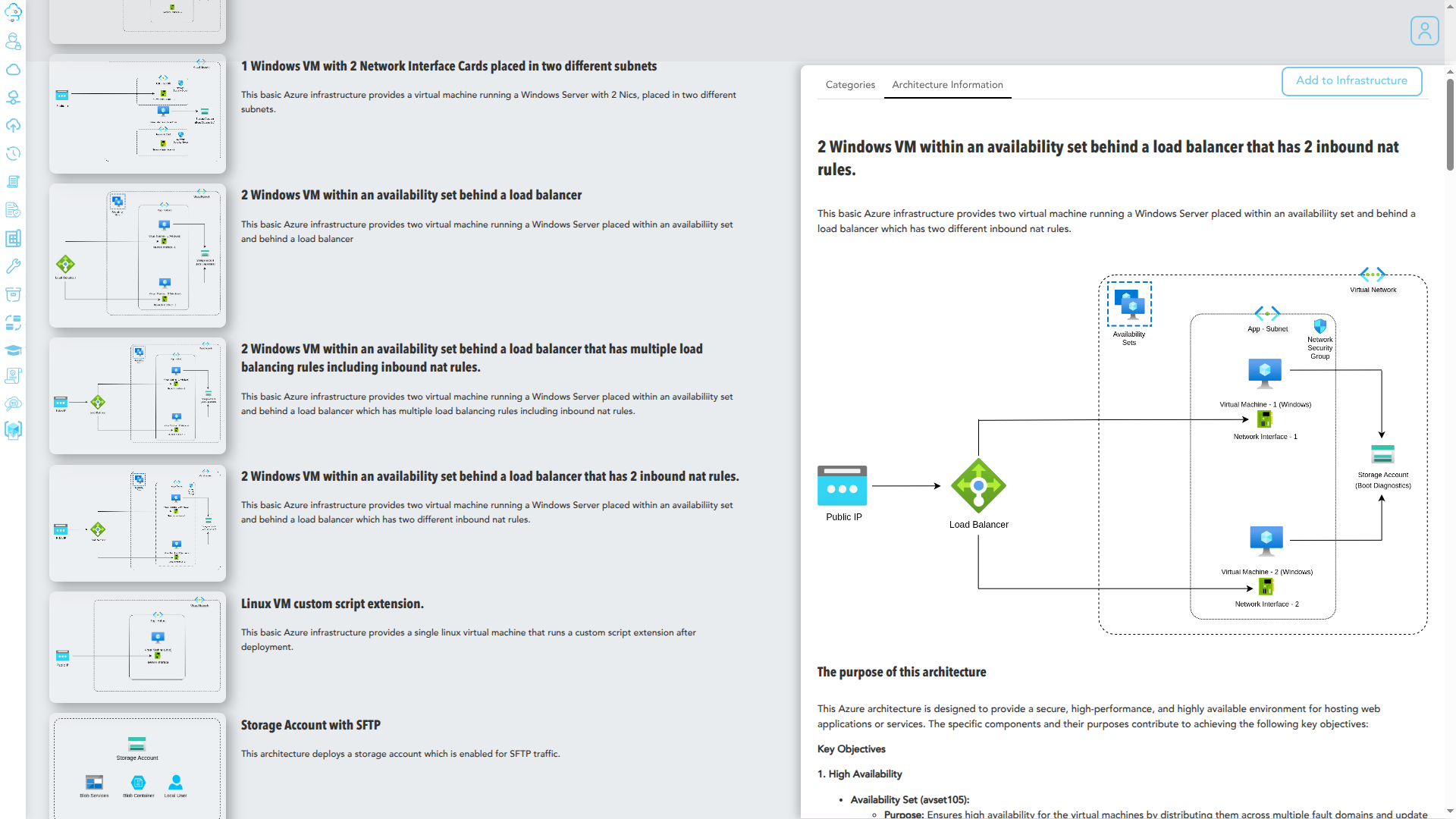
Hundreds of documented, deployable Azure architectures. Load one, customize for your environment, deploy to your tenant or export as IaC.
Built on full Azure integration
Clophi is integrated end-to-end with the Azure REST API. Clophi connects directly to your tenant to fetch your entire resources.
Generate in all IaC formats
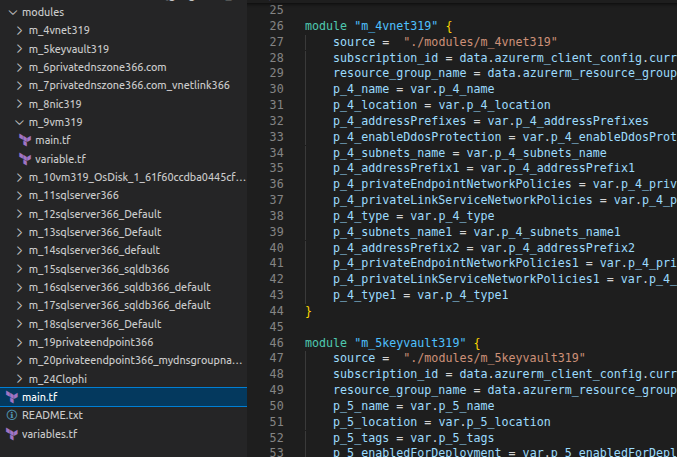
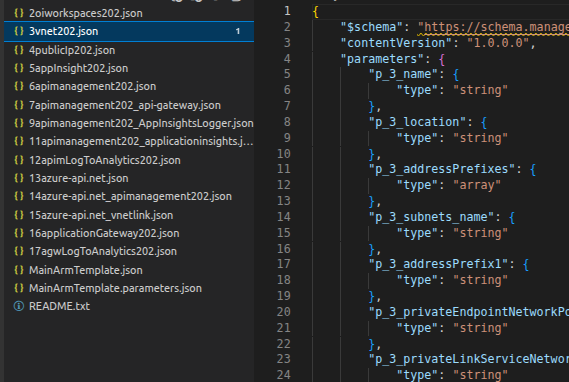
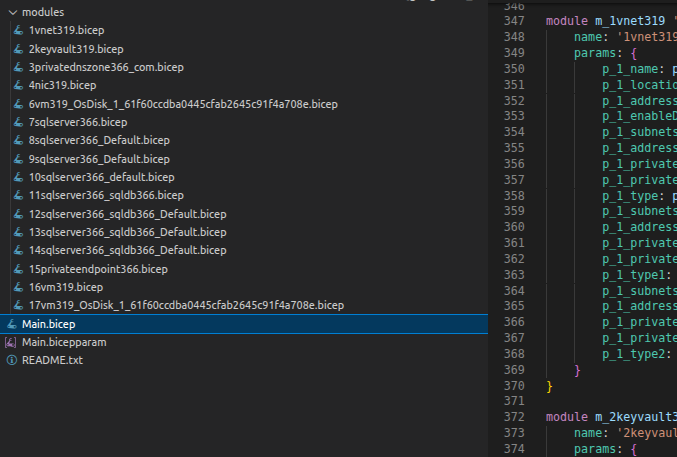
Either download or integrate to your repository in parameterized or non-parameterized IaC.
TerraformARM TemplatesBicep
Level 1 · Resource creation
Empower every developer to deploy Azure infrastructure
Deploying Azure infrastructure with manual IaC demands deep IaC expertise to get it right and requires continuous fix and re-runs when errors are encountered. Clophi removes those barriers. It lets your team focus purely on infrastructure configuration, while handling the underlying IaC syntax and validation behind the scenes.
What guided authoring means in practice
These aren't flat conversions of IaC, the forms include dynamic behaviors that accelerate authoring while preventing common deployment failures:
Live resource references
Reference other resources, without the possiblity of making an error, from a live list of resources in your tenant or from the infrastructure you are building via Clophi
Inline secret creation
Create a new Key Vault secret directly in the authoring flow, then reference it from the resource being configured.
Validation up front
Every input is integrated with the appropriate type and validated against their expected values dynamically.
Required field enforcement
Required fields are clearly indicated and enforced with further validation.
Structured array composition
Add and remove objects inside array properties without writing JSON. Dynamic validation against other chosen field properties.
Child resource attachment
Add child resources directly from the parent's configuration. The relationship is modeled automatically and correctly integrated in the generated IaC.
Documentation where you need it
Every configuration field has its Azure documentation presented inline together with additional expert insights.
Modify and redeploy existing resources
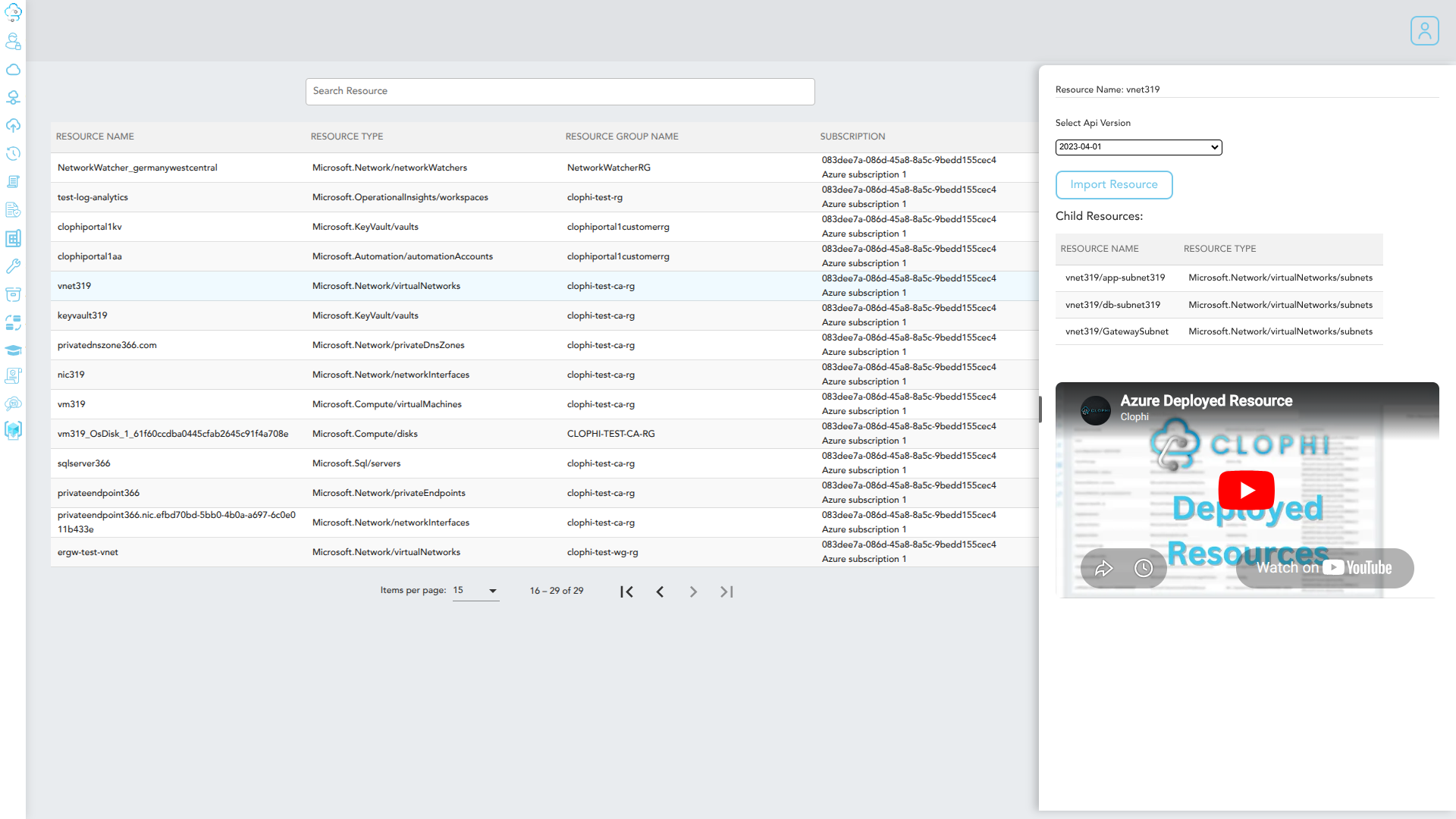
Authoring also works in reverse. Clophi fetches existing resources from your tenant. You can modify any property and then redeploy through Clophi, or export the modified configuration as IaC.
Full resource fetch
Every resource in your tenant is fetched with its complete configuration, including child resources and dependencies.
In-place modification
Edit existing resources through the same interface used for new ones. No JSON, no portal navigation, no context switching.
Redeploy or export
Apply modifications directly to the live resource, or export the new configuration as IaC for review and version control.
Archive resources for faster testing
Speed up your development cycle by archiving your infrastructure project. Generate your infrastructure through Clophi, archive it, test it, make changes, and immediately apply improvements to your infrastructure.
play_circle_filled Live Demo
Level 2 · Draft resources
Build your draft library once. Reuse it forever.
In Clophi every Azure resource comes with a pre-configured draft library. A starting point that covers common configuration patterns. Open a draft, adjust what's specific to your case, deploy or export. The boilerplate that usually takes 80% of development is already done.
Two kinds of drafts
A
Built-in drafts for every resource type
Clophi ships with draft templates for every Azure resource type, preconfigured with common settings. Use them as a starting point, or deploy them directly with minimal modification.
B
Organization-specific drafts
Teams can create their own draft templates that reflect organizational needs. These become a shared library available to every user in the organization.
What drafts mean for organizations
Built-in governance
Drafts can encode security defaults, required tags, and standardized configurations.
Consistency without overhead
New resources start from approved standards. Infrastructure consistency without the governance overhead. No drift between team configurations.
Faster onboarding
New engineers don't need to struggle with organizational standards. The drafts encode them.
Reusable library
The library grows over time. Every team contributes drafts; every team benefits from the drafts others have built.
Level 3 · Built-in Architectures
Hundreds of architectures, one click away
Built-in Architectures takes the draft idea one level up: not single resources, but complete, documented infrastructure patterns.
What an architecture includes
All resources composed
Networks, compute, identity, storage, and supporting resources. Every piece of the architecture is included and wired together correctly.
Full documentation
Each architecture ships with thorough documentation: what it's for, how it's structured, what trade-offs it makes, and how to extend it.
Customizable end-to-end
Every resource in an architecture is editable through the same interface used for individual resources. Adjust to your environment without touching IaC.
Deployable as-is
Deploy the full architecture directly to your tenant, or export it as Terraform, Bicep, or ARM for review before deployment or commiting to your repo.
Foundation
Fully integrated with the Azure REST API
Everything mentioned, guided IaC creation, drafts, architectures, fetching, redeployment is possible because Clophi is built directly on the Azure REST API. Resources are not abstracted into a smaller subset; they reflect what Azure actually supports.
A
All resources, all child resources
Every resource type in Azure is supported. Including child resources and extension resources
B
Role definitions and assignments
RBAC is part of the same model. Role definitions and assignments are fetched alongside resources and editable through the same interface. Resources are displayed and can be deployed with the appropriate RBAC write permissions.
C
Bi-directional integration
Resources flow both directions: from Clophi to Azure on deployment, and from Azure into Clophi when fetching existing resources for modification.
D
Full documentation integration
Azure's official resource documentation is surfaced inline at the field level. The reference material lives where you need it.
The cumulative effect
From single resource to full architecture, without context switching.
Resource creation, drafting an organizational baseline, deploying a complete architecture, fetching and modifying from existing infrastructure. All of it happens in the same workspace.
See it on your own tenant
Empower every developer to deploy Azure infrastructure.
Book a 30-minute demo and we will walk through guided IaC creation, draft libraries, and the Architecture Center in a test environment.