Turn any existing Azure infrastructure into production-grade IaC.
Import resources from one resource group or across subscriptions, then export clean, structured Terraform, Bicep, or ARM templates ready to commit to your repository.
Most Azure environments were not built IaC-first. Resources are often created manually through the portal, CLI, Powershell etc., or the existing repository simply doesn't follow IaC best practices. Clophi’s Infrastructure Export reads your current infrastructure and generates clean IaC that adheres to strict syntax and structural best practices.
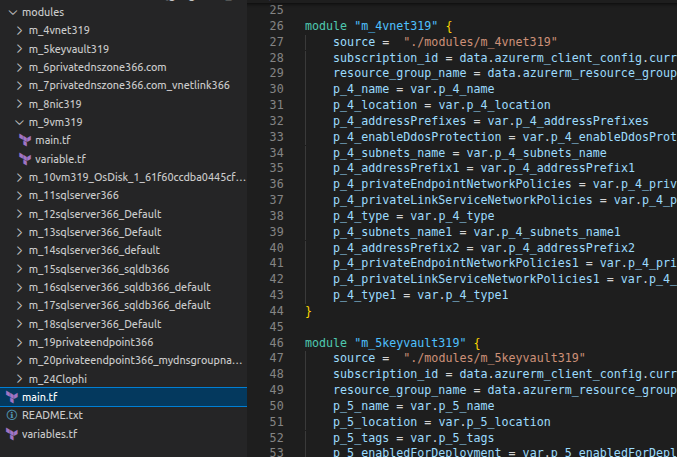
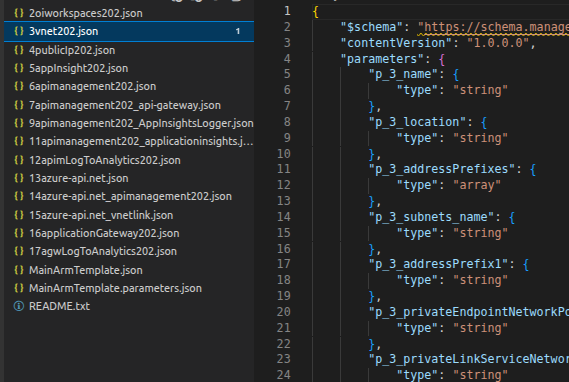
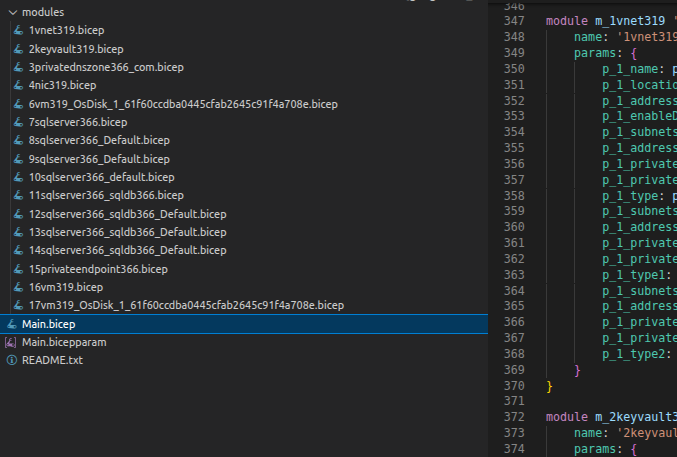
Clophi provides all the IaC formats you need. Generate infrastructure in your format of choice in parameterized or non-parameterized IaC:


The export workflow is a five-step process. Each step is handled inside Clophi's interface! No IaC syntax is required at any point.
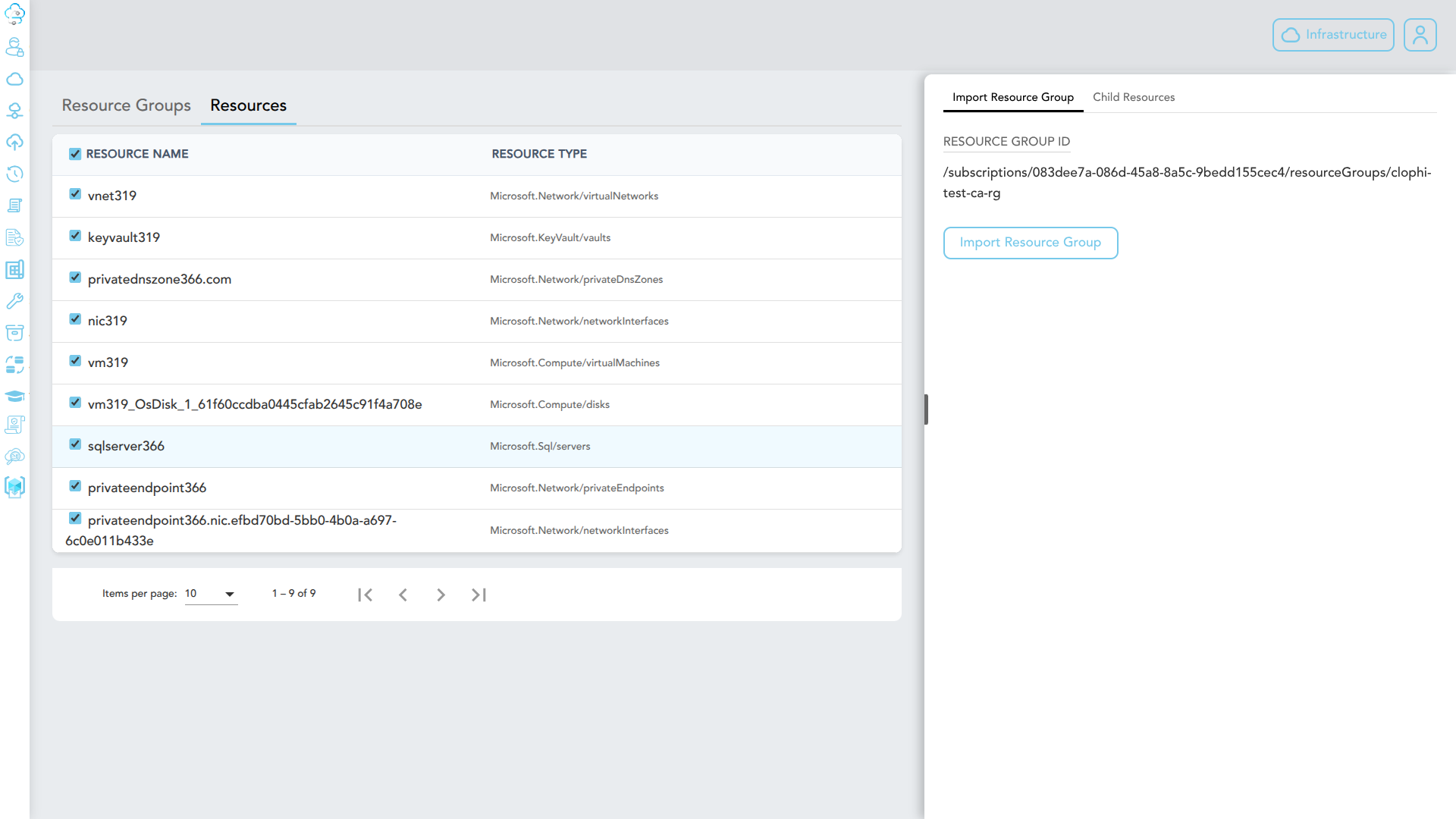
Clophi fetches all resources (including child resources) across all subscriptions of your tenant.
Choose the resources you want to include. You can select resources from different Resource Groups.
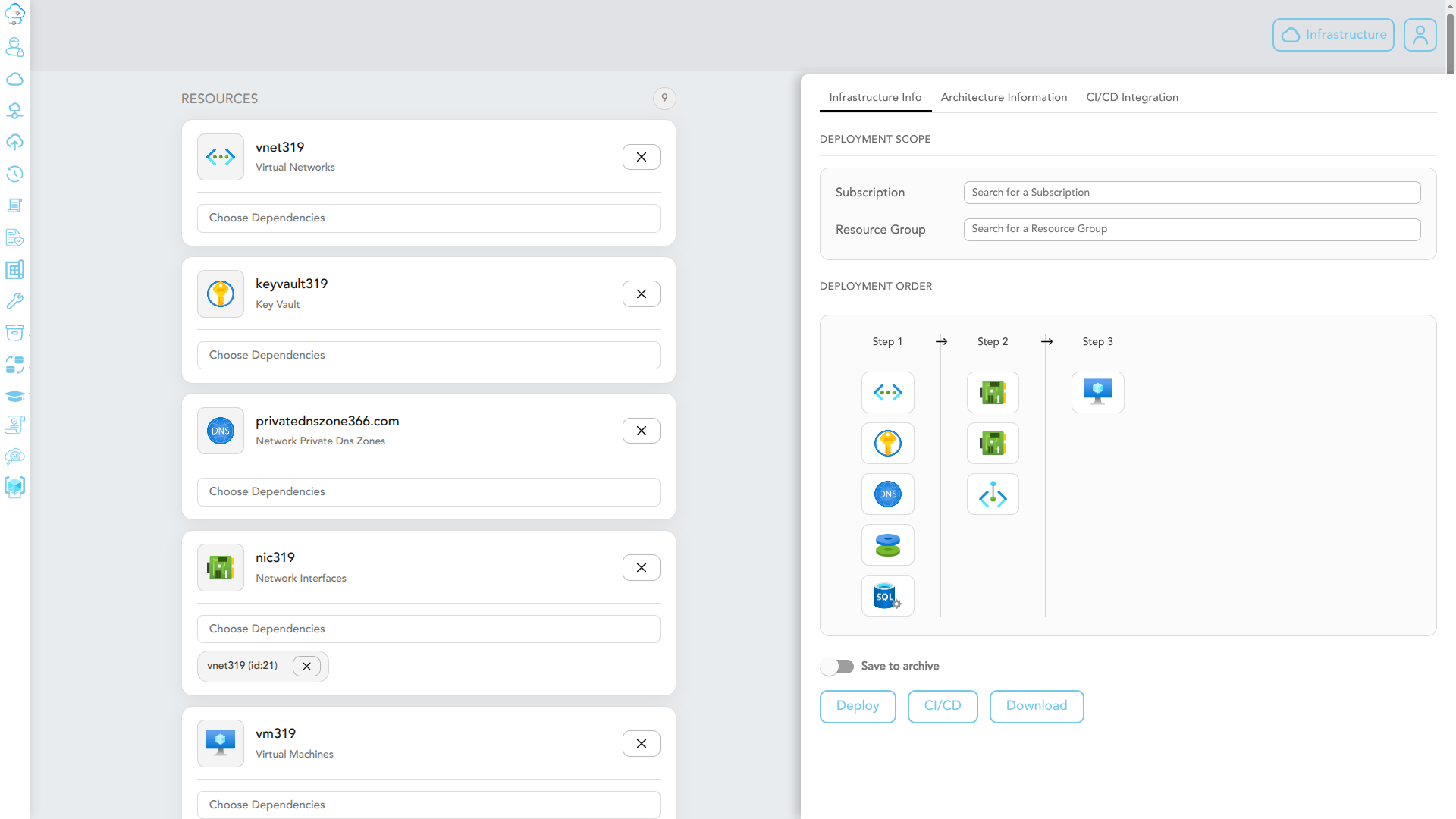
Selected resources are imported into Clophi's infrastructure workspace. Dependencies between resources, references, role assignments, parent-child relationships are detected and managed automatically.
Edit imported resources, add new ones, or attach child resources directly in Clophi's UI. No IaC syntax knowledge required at any point.
Download the resulting IaC as Terraform, Bicep, or ARM, or push it directly to your connected Git repository, with the proper folder structure.
Export is not restricted to a single resource group. Select resources across multiple resource groups in the same export operation. Clophi resolves dependencies between them and structures the IaC accordingly.
Azure's built-in resource group export is widely known to produce output that is completely unusable in production. Because it captures raw runtime state rather than deployment configuration, it puts read-only resource properties and bloats simple setups. Things are even worse in Terraform export. "Masked sensitive attribute" hide what was actually configured for sensitive properties during exports, and Terraform provider-level permission failures can completely block resources from exporting.
The selection view lists all available resources across the chosen scope, grouped by resource group and type. Azure-managed resources are hidden by default. Dependencies are shown inline so you can see what will be pulled in alongside any resource you select.

After import, each resource appears in Clophi's infrastructure workspace as an editable form. If you like, you can modify properties, or add child resources and more.

Exported IaC follows the file and folder conventions each format expects. Modules are separated, variables are extracted, dependencies are wired through references, no hardcoded values.
Infrastructure Export was designed based on three recurring patterns we kept seeing with our own Azure customers.
Environments that grew organically because they were built through diverse tools, then partially coded, or abandoned can be re-exported cleanly. The result is a single, consistent IaC representation of what is actually running in Azure, delivering proper structure from day one.
Engineers that are proficient in one of the IaC formats (Terraform, Bicep or ARM) can now build IaC of their existing setup in one other format. Furthermore, engineers comfortable in the portal, CLI, or REST API can also build infrastructure the way they already work, then use Clophi to produce production-grade IaC out of the result. No need to retrain the whole team on IaC syntax.
When different teams use different tools such as, portal, CLI, REST API, the resulting infrastructure code looks different even when the resources are similar. Clophi exports consistent IaC regardless of how the underlying infrastructure was originally built.
Clophi separates infrastructure design from IaC authorship, so teams can use their preferred tools and still deliver consistent, version-controlled code.
Book a demo and we will walk through Infrastructure Export against a real resource group from your environment or on a test environment if you prefer. No setup required from your side.