Drift Detection
Know exactly what changed in your Azure environment in real time.
Zero-noise drift detection for Azure infrastructure. Full diff details, identity tracking, and one-click remediation.

Zero-noise drift detection for Azure infrastructure. Full diff details, identity tracking, and one-click remediation.
Infrastructure drift occurs when the live state of your Azure resources diverges from the desired state defined in your IaC. Clophi continuously monitors this divergence, displays only meaningful changes, identifies who triggered the change, and handles the revert process with a single click.
Whether your infrastructure is defined in Bicep, Terafform or ARM, Clophi tracks it consistently.
Bicep and ARM have no native drift detection capability. Clophi is the only tool that provides true drift detection for Bicep & ARM managed infrastructure.
Most drift detection tools report every diff between desired and actual state, including changes that are irrelevant. Clophi's drift engine is built to surface only the changes that matter to you.
Clophi fetches the complete inventory of your Azure tenant across all subscriptions and treats this as the live state for comparison.
All activities in Azure are fetched every 3 minutes. Any change made through the portal, CLI, ARM/Bicep deployments, or third-party tools is compared against the desired state of the corresponding resource.
Properties such as etag, provisioningState, and other system-managed fields are filtered out before comparison. These properties change frequently in Azure and produce false drift alerts in tools that report all diffs.
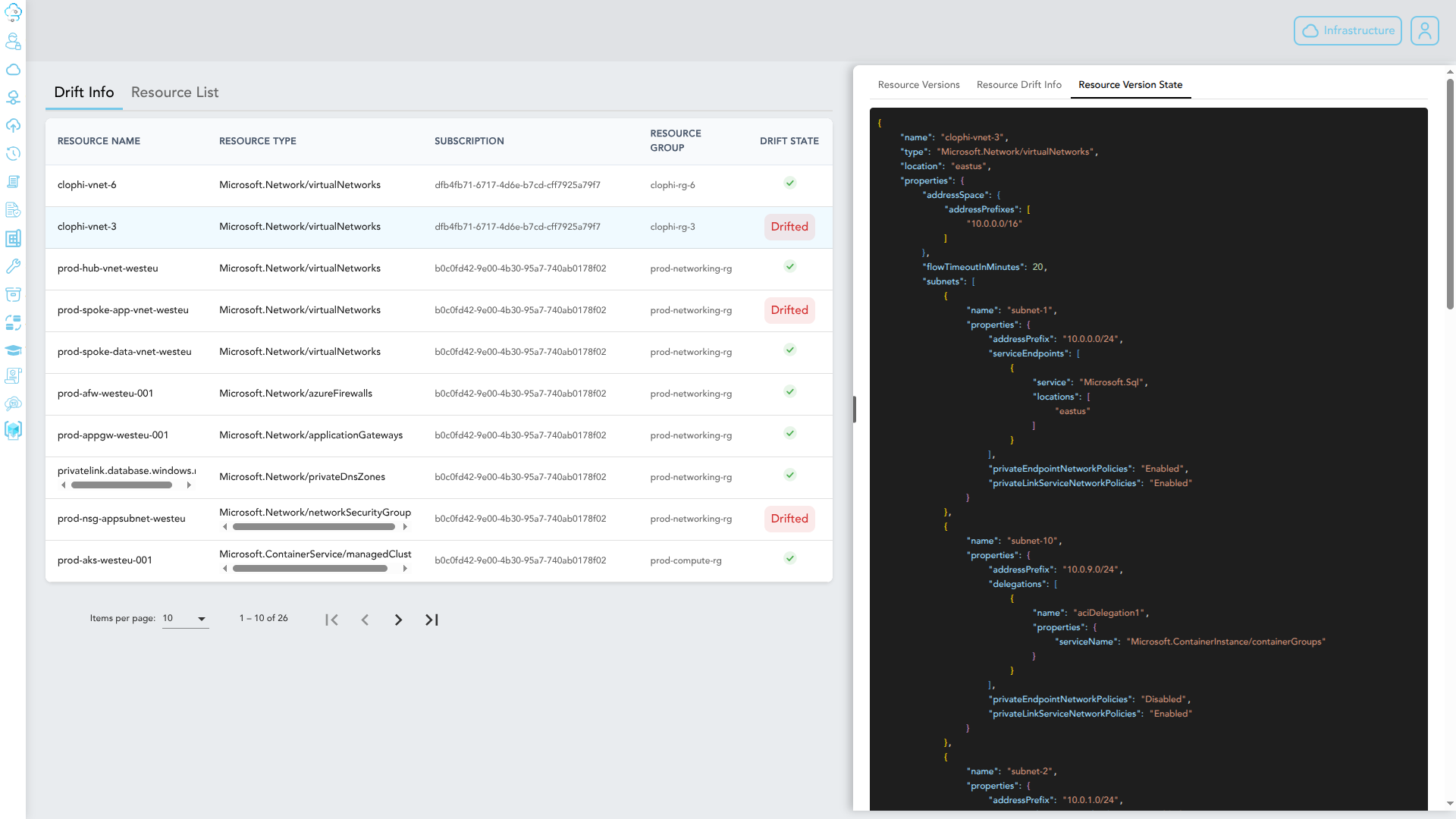
Object arrays are compared by content, not by index. A subnet reordering inside a VNet, for example, is not reported as drift because no property actually changed. When an item in an array does change, Clophi pinpoints the specific object, not the entire array.
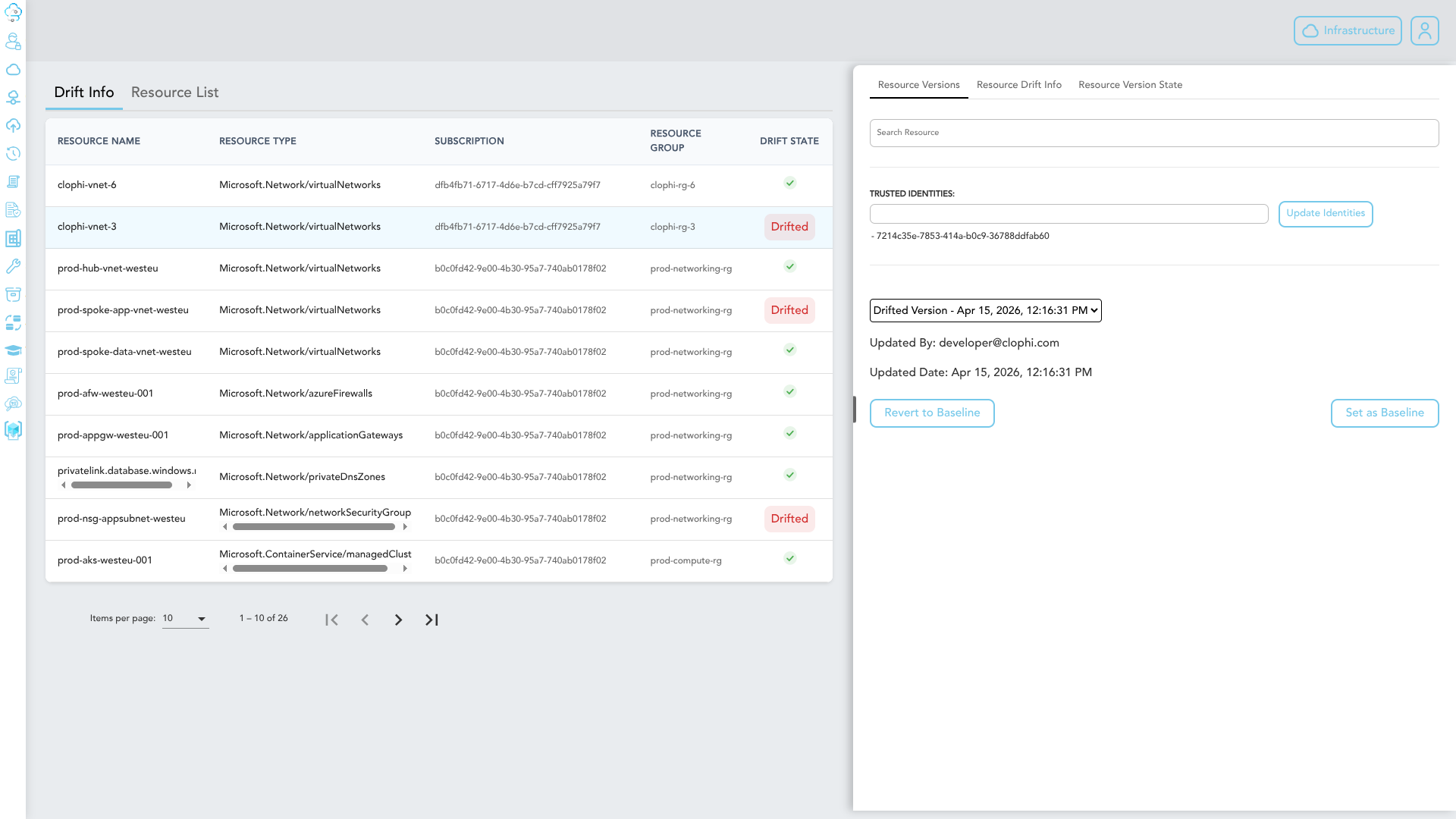
Every drift event includes the user or service principal that made the change and the exact timestamp.
Each drift event includes a Revert to baseline action that restores the resource to its desired state. Clophi handles the deployment; no manual plan or apply is required.
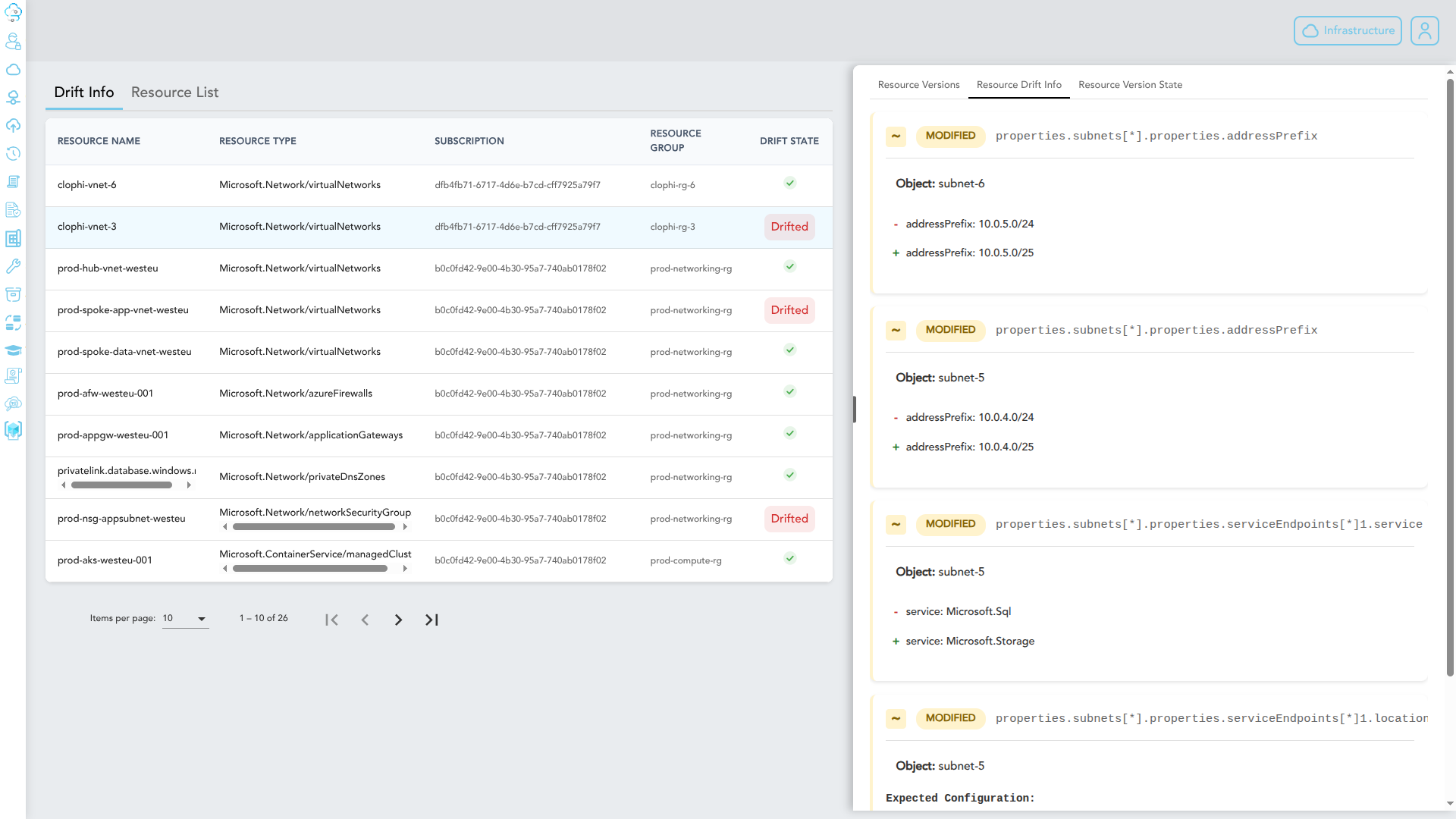
All detected drifts are surfaced in a single dashboard view. Each entry includes the resource identifier, the changed properties, the responsible actor, the timestamp, and the available remediation action.
For each drift event, Clophi provides a detailed view of the baseline configuration and the current drifted configuration.
When you identify a drift that needs to be reverted, no manual deployment is required. Clophi handles the entire revert operation through the Azure REST API, scoped to the affected resource only.
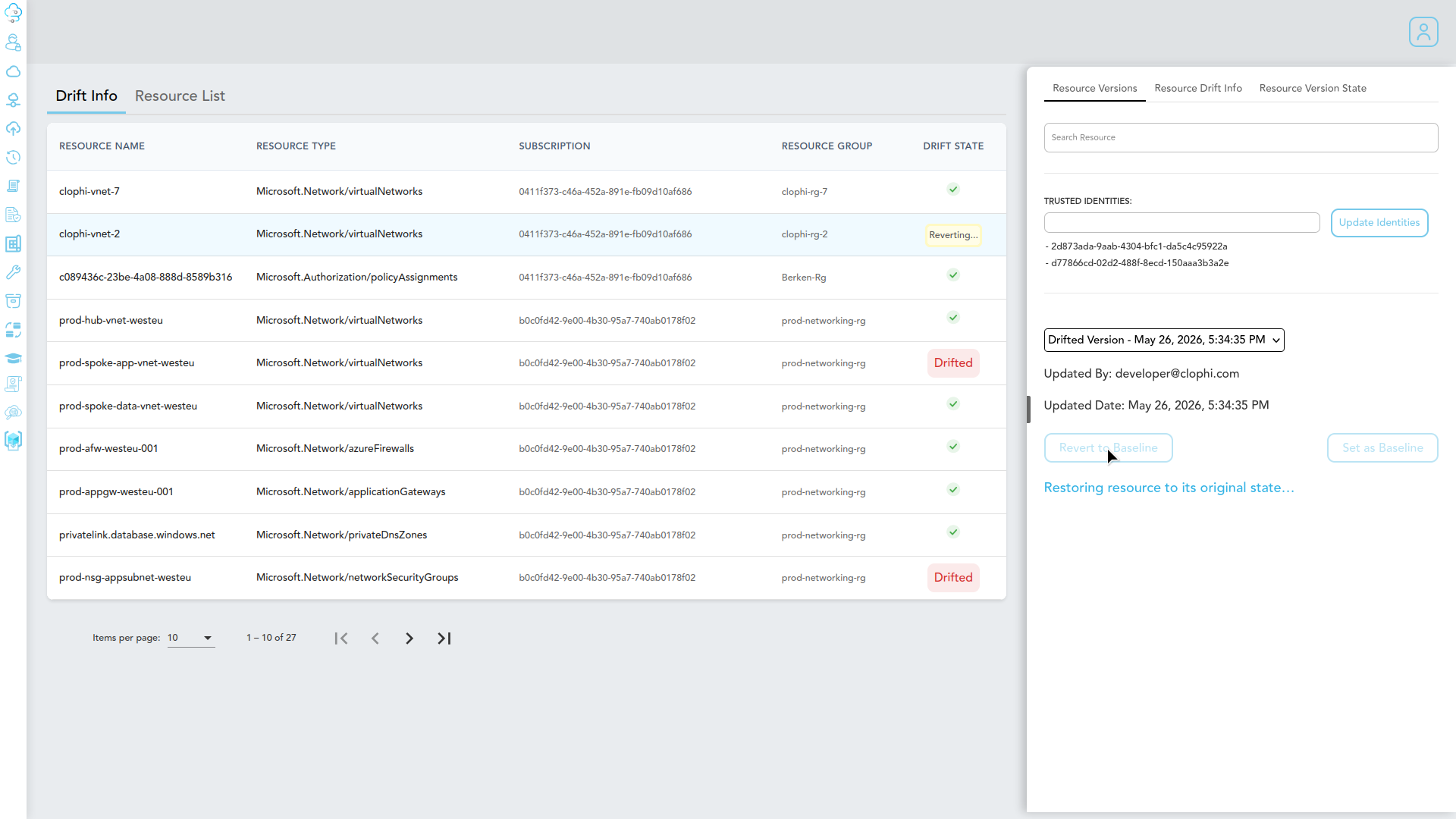
Unlike Terraform, where reverting requires a full plan and apply across the entire state file affecting every resource in scope, Clophi reverts only the drifted resource. Nothing else in your environment is touched.
Many teams rely on Terraform state files to manage drift, but Clophi solves the critical headaches that state-based management creates.
| Feature | Terraform statefiles | Clophi drift detection |
|---|---|---|
| Reliability | Unreliable Known for false positives and erroneous drift reporting — a major headache for infrastructure teams. | Highly reliable Shows only genuine changes to your Azure resources. No false alarms. |
| Frequency | Manual Only detects drift when a manual terraform apply is executed. | Continuous Tracks your environment 24/7, reporting drifts within ~3 minutes. |
| Accountability | No tracking Cannot identify who made the unauthorized change. | Full audit Pinpoints the specific user or service principal responsible for every drift. |
| Precision revert | Full statefile Requires a full plan/apply across the entire state file, affecting all resources. | Resource-specific Revert a single drifted resource without touching anything else in your environment. |
| Automation | Manual Requires manual intervention to trigger a fix every time. | Fully automatable Fixes can be triggered automatically upon detection, zero human intervention. |
Book a 30-minute demo and we will walk you through drift detection on your own resources or on a test environment if you prefer. No setup required from your side.

Enterprise Grade Azure Management
@2026 Clophi all right reserved.
Enterprise Grade Azure Management
Pricing
Docs
Privacy Statement
Terms Of Service
About Us
Contact our team for your need
Why Clophi?
Request a demo
Professional Services
Drift Detection
Enterprise Policy
Infrastructure Repository Generator
Policy Generator - Policy Engine
Infrastructure As Code
Server Configuration
Devops Tooling
Team Collaboration
Azure Integration
@2026 Clophi all right reserved.